
Microsoft's Trellis2: Converting Images to 3D Models at Scale
Microsoft's Trellis2 transforms image-to-3D workflows with open-source technology that runs locally. Learn how this tool streamlines 3D asset creation for teams and integrates into existing pipelines.
The 3D Asset Bottleneck Just Got Solved
The race to democratize 3D content creation has reached a critical inflection point. While competitors scramble to lock users into cloud-dependent solutions, Microsoft has released Trellis2—an open-source image-to-3D model that runs locally on your hardware. This isn't another cloud service; it's a practitioner's tool designed to eliminate the friction between 2D assets and production-ready 3D models.
For teams managing large-scale content pipelines—whether in gaming, e-commerce, or digital design—the implications are significant. Trellis2 addresses a persistent pain point: converting photographs and concept art into usable 3D geometry without expensive software licenses or dependency on external APIs.
What Trellis2 Actually Does
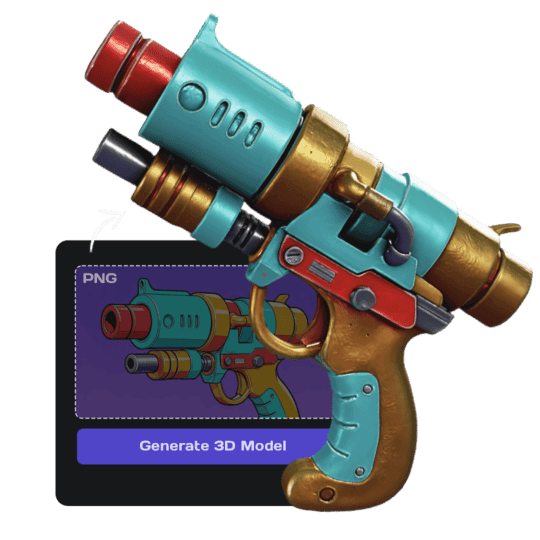
Trellis2 is a generative AI model that takes a single image and produces high-fidelity 3D models in minutes. The workflow is straightforward:
- Input: A photograph, concept art, or product image
- Processing: The model generates geometry, textures, and materials
- Output: Production-ready 3D assets in standard formats (GLB, OBJ, etc.)
The key differentiator is local execution. Unlike cloud-based competitors, Trellis2 runs on consumer-grade GPUs, reducing latency and eliminating per-request API costs. For studios processing hundreds of assets monthly, this translates to measurable cost savings and faster iteration cycles.
According to the GitHub repository, the model achieves competitive quality metrics while maintaining reasonable hardware requirements. Users have reported successful deployments on systems with 8GB+ VRAM, making it accessible to smaller teams and independent creators.
Integration and Workflow Compatibility
Trellis2 integrates into existing pipelines through standard 3D formats and Python APIs. Practitioners can:
- Batch process multiple images programmatically
- Embed the model into custom applications
- Chain outputs with existing post-processing tools (Blender, Substance Painter, etc.)
- Deploy on-premises for enterprise environments
The open-source nature means teams can fork, modify, and optimize the codebase for specific use cases. This flexibility is critical for production environments where one-size-fits-all solutions often create bottlenecks.
Pricing and Accessibility
Trellis2 is free to use under its open-source license. There are no per-model fees, subscription tiers, or usage limits. The only costs are infrastructure—your own GPU hardware or cloud compute if you choose to scale horizontally.
For comparison, commercial alternatives typically charge $0.10–$1.00 per generated model, which compounds quickly at scale. A studio generating 500 models monthly could save $500–$5,000 annually by switching to Trellis2.
Known Limitations and Considerations
The tool isn't without trade-offs. Community discussions on GitHub highlight ongoing refinements needed for:
- Complex multi-object scenes (the model works best with single subjects)
- Transparent or reflective materials (still requires manual refinement)
- Real-time performance on lower-end GPUs
These aren't dealbreakers—they're typical for generative models at this maturity stage. Most practitioners report that outputs require 10–20% manual cleanup in standard 3D software, which is significantly faster than modeling from scratch.
The Broader Context
Trellis2 arrives as the industry grapples with AI-generated content quality and ownership. By releasing an open-source model, Microsoft sidesteps some licensing ambiguities that plague proprietary solutions. Teams retain full control over their generated assets and can audit the model's training data and behavior.
This approach also signals a shift in how enterprise AI tools are distributed—moving away from SaaS lock-in toward infrastructure that teams can self-host and customize.
Getting Started
Practitioners interested in evaluating Trellis2 can access the code and documentation on GitHub. Setup typically takes 15–30 minutes for teams with Python and GPU experience. Microsoft has published guides for common deployment scenarios, including Docker containerization for team environments.
For organizations currently relying on manual 3D modeling or expensive cloud services, Trellis2 represents a meaningful productivity upgrade—especially when integrated into batch workflows where the cost-per-asset advantage compounds quickly.


